AI Moodboard Creator: The 2026 Guide to Building Reference Boards Faster
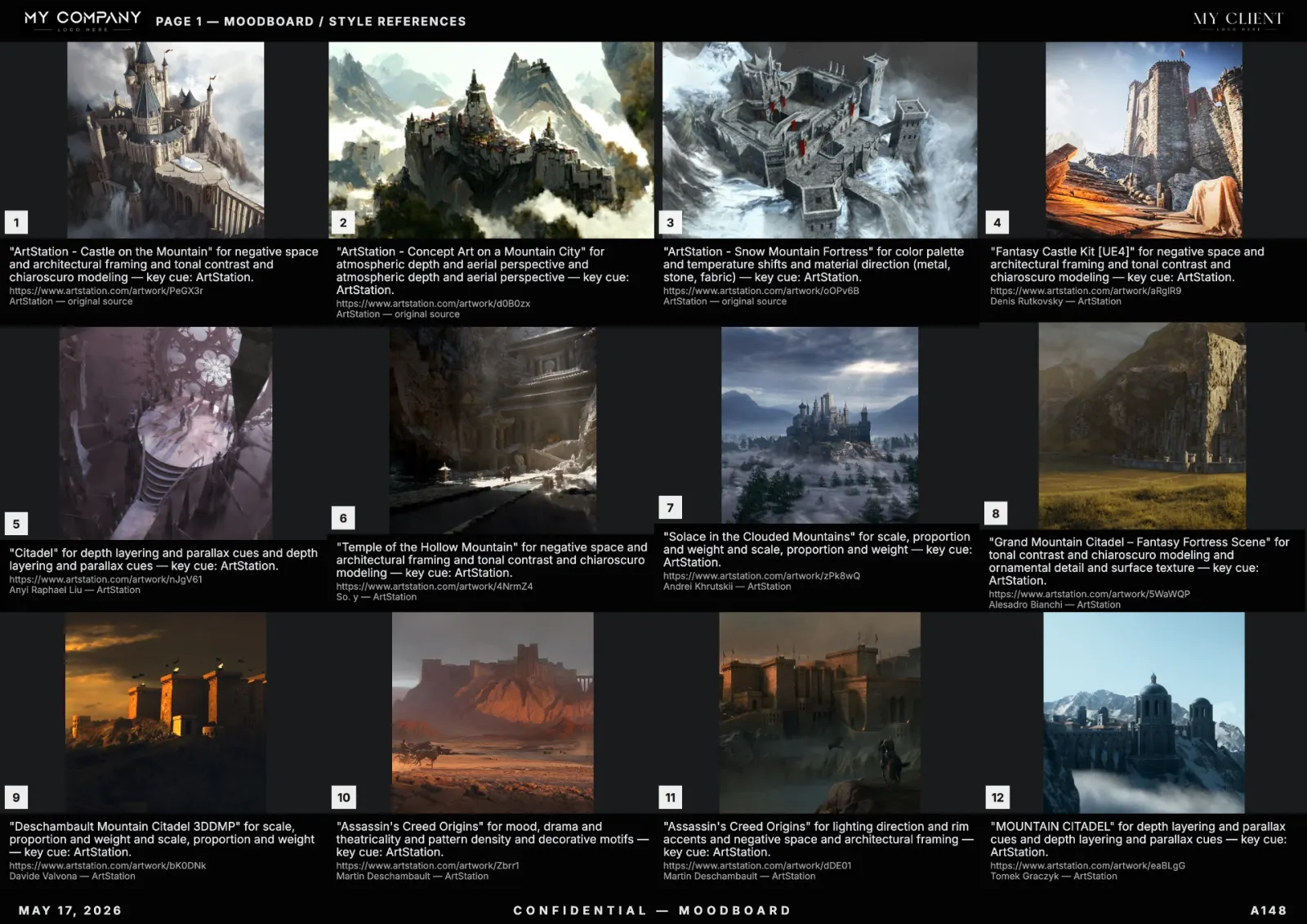
An AI moodboard creator turns a one-line brief into a curated, editable board of visual references in under a minute. This guide explains how the workflow works in 2026, why creative teams have switched away from manual Pinterest scraping, and how to build moodboards that survive client review and production handoff.
What an AI moodboard creator actually does
A modern AI moodboard tool combines three pipelines: semantic image search across licensed visual sources, automatic color and texture extraction, and layout generation that respects design grids. You type a prompt — "brutalist Tokyo arcade, neon, 35mm film grain" — and the system returns 12 to 48 references with palette, captions and credits already attached.
Why manual moodboards are dying
- Time: a manual board takes 2–4 hours. AI moodboards take 30–90 seconds.
- Traceability: every image carries source URL and license metadata.
- Iteration: clients ask for "darker, less saturated" — you regenerate, you don't restart.
- Export: one click to PDF, Keynote, Figma frames or PNG sheets.
The five-step AI moodboard workflow
- Brief — write a 1–3 line prompt describing subject, mood, era, medium and constraints.
- Generate — the AI returns a multi-page board with palette and captions.
- Curate — swap, lock or delete tiles; pin keepers; mark direction notes.
- Brand — apply your studio template (header, footer, client name).
- Export — share a link or send a print-ready PDF.
Prompts that produce strong moodboards
The best prompts are specific about medium and era, not just adjective stacks. Compare:
- Weak: "cool sci-fi vibes"
- Strong: "1970s Soviet cosmonaut interiors, CRT light, oxidised brass, 6×7 medium format, soft window light"
Add a negative too: "no AI illustrations, no stock photography, no people front-facing". This narrows the search index and increases the share of usable references.
Which teams benefit most
Art directors at agencies use AI moodboards to compress pre-production from a week to an afternoon. Game studios use them to align concept artists across continents. Filmmakers and DPs use them as lookbooks for camera tests. Brand designers use them for rebrand pitches.
Choosing a moodboard tool in 2026
Look for: editable canvas (not a slideshow), per-tile metadata (source, license, color), template system for client work, true vector PDF export, and team libraries. RefMood was built around exactly this stack.
FAQ
Is an AI moodboard creator free?
Most tools, including RefMood, give a generous free tier so you can ship a board without a credit card. Paid plans unlock unlimited generations, templates and team workspaces.
Can I use AI moodboard images in client decks?
Yes — when references are linked to source and license. Treat the board as research, not as final artwork.
What's the best AI moodboard tool?
If your work goes to clients, you need editable layouts, palette extraction and PDF export. RefMood ships all three by default.