Moodboard Creator: How to Choose (and Use) the Right One in 2026
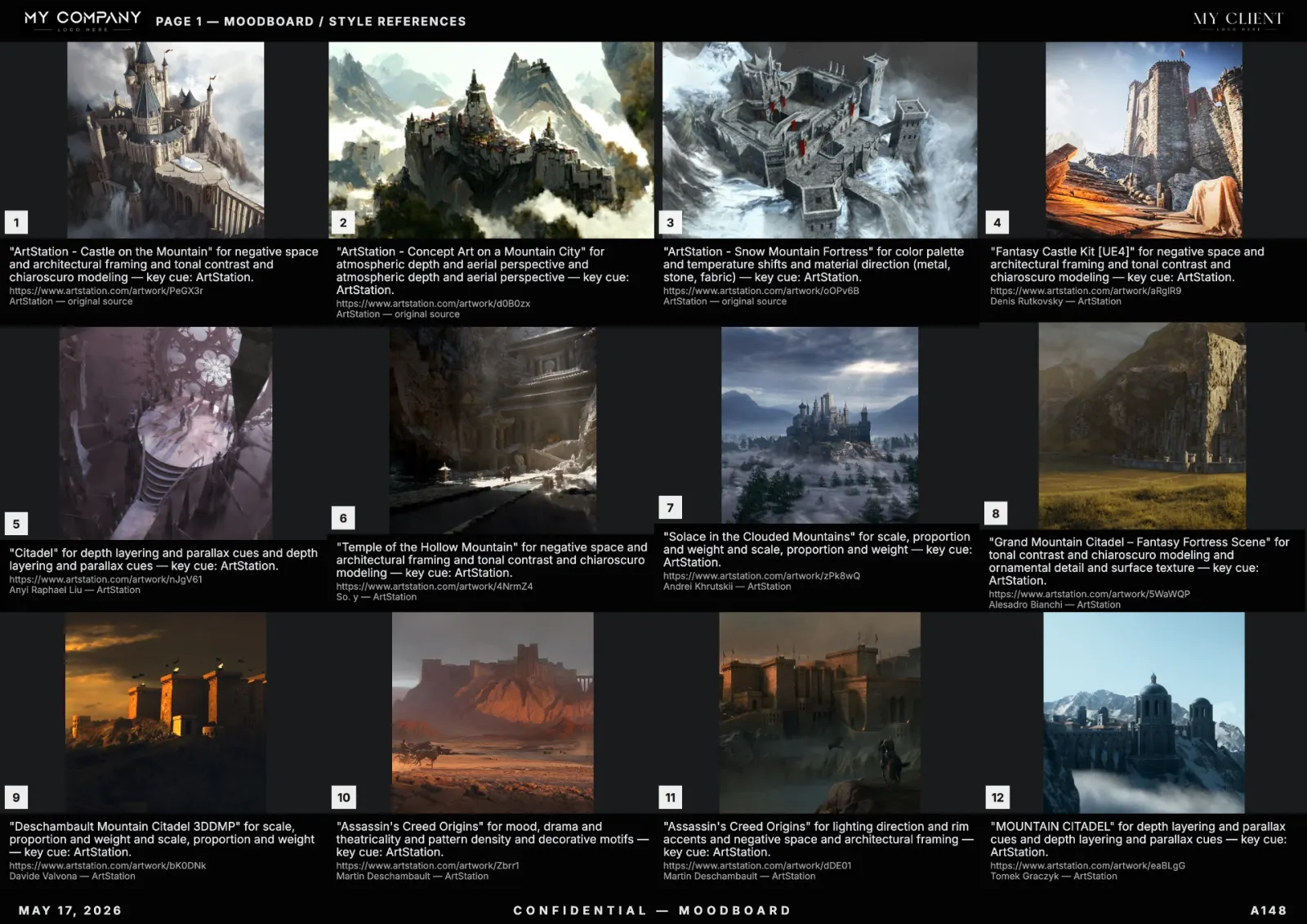
A "moodboard creator" can mean almost anything in 2026 — from a sticky-note canvas to a fully AI-driven, palette-locking, PDF-exporting design surface. This article cuts through the noise: what a moodboard creator actually has to do for professional work, what the trade-offs are, and how to pick one that survives client reviews and team handoff.
Definition: what counts as a moodboard creator
A real moodboard creator gives you three things at minimum:
- A visual surface with grid, freeform or hybrid layout — not a slideshow.
- Per-tile metadata — source URL, author, license, dominant palette.
- Export in at least PDF and PNG, ideally Figma-compatible frames.
Tools that miss any of these are storage products, not moodboard creators.
Online vs desktop vs in-Figma
Online tools (like RefMood) win for collaboration, instant updates, and source-aware AI search. Desktop tools (InDesign, Affinity) win for print finishing but lose on speed and on team handoff. In-Figma boards are fine for designers who already live in Figma, but the lack of dedicated reference search and palette logic forces a lot of manual work.
For 99% of working teams in 2026, an online AI-aware moodboard creator is the right default.
Free vs paid: where the line really is
Almost every serious tool ships a free tier — that is no longer the differentiator. The real differentiators are:
- Unlimited generations vs capped
- True vector PDF export vs raster only
- Team workspaces and templates
- Source diversity (museum, ArtStation, paintings, photography)
- Per-tile vision re-ranking on a locked palette
If you ship boards weekly, paid pays for itself in the first project.
AI moodboard creator vs manual moodboard creator
Manual tools (Milanote, classic Pinterest) win when the brief is fuzzy and you want to explore. AI tools win when the brief is clear and you want to ship. Most production teams use both: manual for exploration, AI for delivery.
The full mechanics of an AI-first creator are in our 2026 pillar guide.
Checklist to choose a moodboard creator in 60 seconds
- Does it have an editable canvas (not a slideshow)?
- Does each tile carry source URL and license?
- Can you lock a palette and have it influence search?
- Does it export true vector PDF?
- Does it have team templates?
- Can you regenerate a single tile without rebuilding the board?
- Does it support multiple visual source libraries?
Seven yes → keep it. Less than five → keep looking.
Workflow inside an online moodboard creator
Open the tool, type a one-line prompt, pick your sources (we recommend museum + ArtStation + photography for most pitch work), lock a palette, generate, curate down to 12–18 tiles, caption with reasons, apply your studio template, export PDF. Total time: under 15 minutes for a finished board.
For a step-by-step variant, see how to make a moodboard fast.
Common questions before signing up
What is the best moodboard creator in 2026?
For working creative teams, the answer is whichever tool ticks the seven-point checklist above. RefMood was built specifically to tick all seven by default.
Is there a free moodboard creator?
Yes — RefMood ships a generous free tier with full editing and PDF export. Paid plans unlock unlimited generations, team workspaces and white-label templates.
Can I use it for client work?
Yes, as long as your moodboard creator attaches license metadata per tile. The moodboard is research, not a final asset.
What's the difference between a moodboard creator and a slideshow tool?
A slideshow is sequential and shallow per slide. A moodboard is parallel and dense per page. Different problem, different tool. If you need both, see our AI slideshow creator article.
Conclusion
The right moodboard creator is the one your team will actually use under deadline pressure. In 2026 that means online, AI-aware, source-diverse, palette-locking, and PDF-exporting. Open RefMood and build your first board now.