How to Make a Moodboard Fast (Without Cutting Quality)
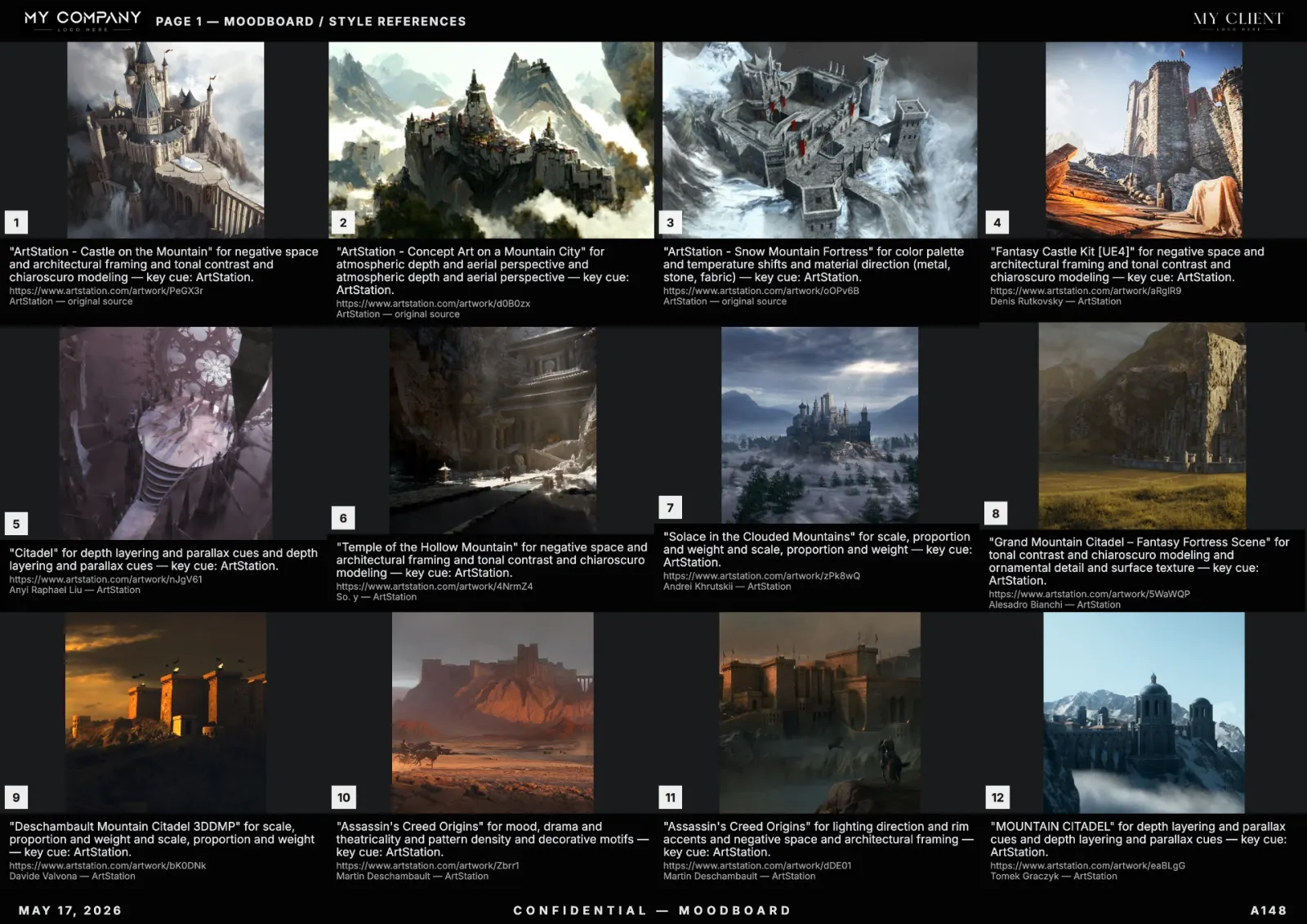
Speed is the most underrated production skill in art direction. The trick is not "rush" — it is removing the steps that don't move the brief forward. Here is the exact 12-minute moodboard process working creative directors use in 2026, with quality not just intact, but higher than a 3-hour manual board.
Why "fast" beats "long" almost every time
A 3-hour moodboard accumulates noise: tiles added "just in case", color drift, decorative captions, no exclusions. A 12-minute moodboard built with discipline is sharper because every step is forced to count.
Fast does not mean sloppy. It means only the moves that move the brief.
Minutes 0–2: write the prompt as a camera report
Five lines: subject, mood, era/medium, palette (4–6 hues with one accent), exclusions. If you cannot write the five in two minutes, the brief is not ready and no tool will save you. The full pattern is in our pillar guide.
Minutes 2–3: pick sources
Two or three sources, not all of them. For a film lookbook: photography + museum. For a game board: ArtStation + architecture. For brand: master paintings + photography. Limiting the source pool sharpens the visual identity.
Minutes 3–4: lock the palette
Pick the 4 to 6 colors before you see any results. This forces taste before vision. RefMood re-ranks tiles by palette proximity, so a locked palette transforms generic results into a coherent direction.
Minutes 4–5: generate
Hit generate. A modern AI moodboard creator returns 20–40 tiles in under a minute. Don't curate yet — let it finish.
Minutes 5–10: curate ruthlessly
Keep 12 to 18 tiles. Apply the three tests on each:
- Direction test — does it push the brief forward?
- Palette test — does it fit the locked palette?
- Replaceability test — if removed, does the board feel weaker?
Pin keepers. Regenerate the 2–4 weakest slots until they pass all three tests. This is the highest-leverage 5 minutes in the entire process.
Minutes 10–11: captions as reasons
One short line per tile. Not "love this light" — instead "key light camera-left, motivated by window, ratio 4:1". A caption is a direction note for the next person who opens the board.
Minutes 11–12: apply template and export
Studio template (header logo, footer with client name and date, palette band), then export to vector PDF A3 landscape. Ship.
Where teams lose time and how to stop
- Re-curating after every regeneration — generate once with a tight prompt, regenerate only weak tiles.
- Inventing a layout per project — save a template, reuse it.
- Decorative captioning — write reasons, not feelings.
- Adding "just in case" tiles — 12–18 is the sweet spot.
The 5-minute moodboard (when you really must)
For internal use or fast feedback loops: prompt, generate, no curation, no captions, export PNG sheet, share in Slack. The output is good enough to start a conversation, not good enough to ship to a client.
FAQ
What's the fastest way to make a professional moodboard?
A 12-minute process built on a tight camera-report prompt, locked palette, AI generation, and a reusable studio template. The full step-by-step is above.
Can I really make a moodboard in seconds?
The generation step takes seconds. The full process to a client-ready board takes 10–15 minutes. For a deeper look at the seconds-scale generation, see moodboard in seconds with AI.
Is a fast moodboard lower quality?
Done right, it is higher quality, because every step is forced to count.
What tool do you recommend?
A tool with palette lock, multi-source search, pinned tiles, studio templates and vector PDF export. RefMood ships all of them.