AI Slideshow Creator: When (and When Not) to Use One in 2026
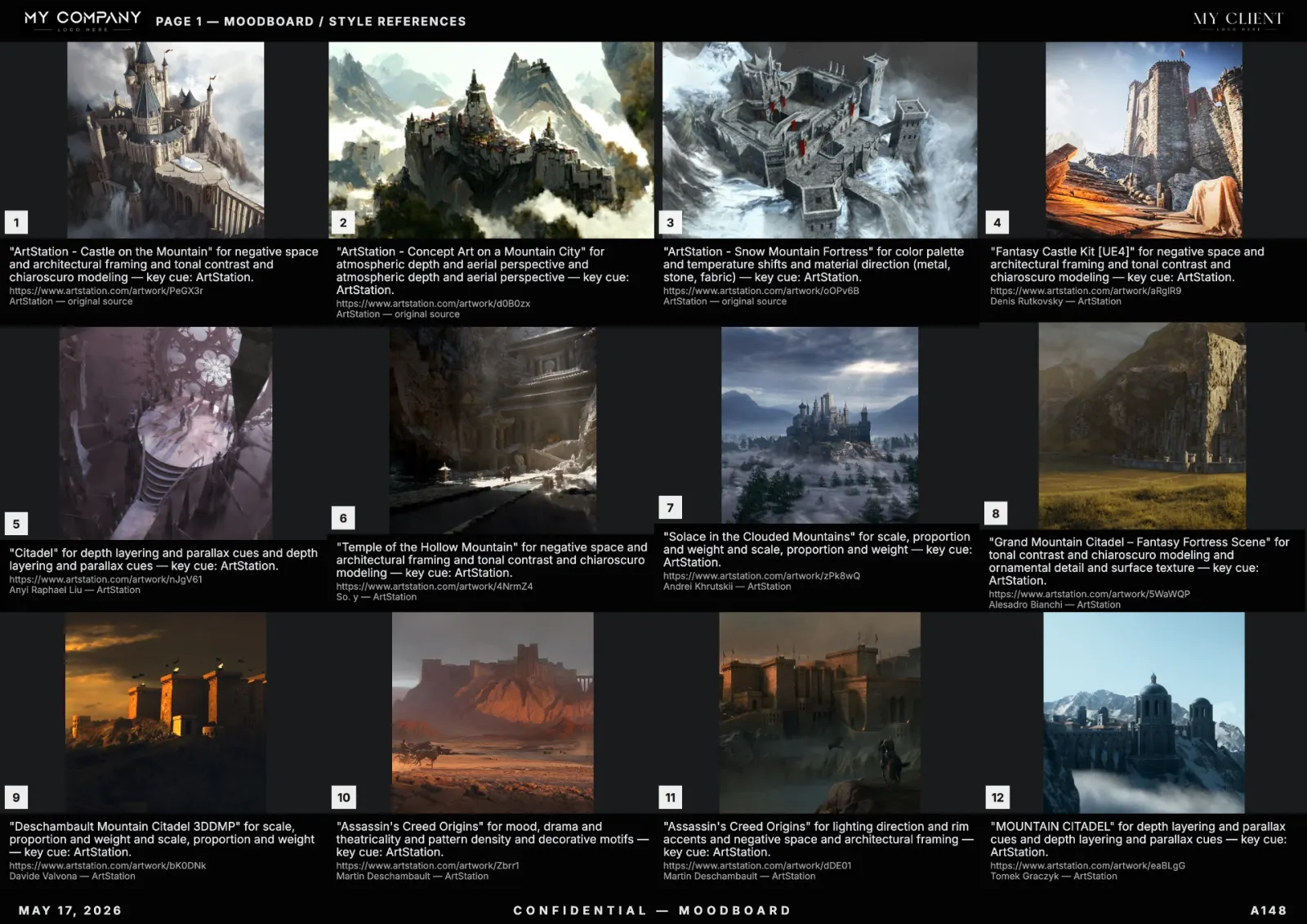
"Slideshow", "lookbook", "moodboard" and "deck" all live in the same neighbourhood, but they answer different questions. This guide covers the AI slideshow creator specifically — when it beats a moodboard, when it loses, and how to ship one that holds up in front of a real audience.
Definition: what an AI slideshow creator is
An AI slideshow creator generates a sequential, single-frame-per-slide presentation from a prompt. One idea per slide. The viewer experiences it in time, not in parallel. The opposite of a moodboard, which is dense and parallel.
When to use a slideshow instead of a moodboard
- Live pitch — narrative pacing matters more than density.
- Client walkthrough — one direction at a time, with a beat between each.
- Sales call — speaker drives the rhythm, audience reads less.
If the audience is going to scroll the file alone, a moodboard wins. If a speaker is going to walk them through, a slideshow wins.
When the moodboard wins
- Async client review — clients open the file in Friday afternoon traffic and need everything in one glance.
- Team handoff — designers and concept artists want density, not narration.
- Brand kit — palette, typography, references on one page beats 14 slides.
Most real projects need both. Generate the moodboard first, then pull the strongest pages into a slideshow for the live pitch.
The 30-second AI slideshow workflow
- Brief — write the story arc in 3 to 7 beats.
- Generate — one beat per slide; the AI returns a hero image and a one-line caption per slide.
- Curate — replace weak slides; lock the strong ones.
- Apply template — header, footer, palette band on every slide.
- Export — Keynote, PowerPoint or PDF.
Prompting tips specific to slideshows
Unlike moodboards, slideshows reward narrative prompting:
- Weak: "slideshow about Tokyo at night"
- Strong: "5-slide arc: arrival at airport, taxi ride, hotel window view, dinner in Shibuya, rooftop. Style: 1990s tourism magazine, soft grain, warm streetlight palette."
The narrative shape constrains the search and forces visual continuity slide to slide.
Export targets
- Keynote / PowerPoint — for live presentation.
- PDF — for async sharing.
- PNG sheet of all slides — for chat previews.
The full format matrix is in our export guide.
Slideshow + moodboard: the hybrid that wins
The best pitches use both. The moodboard is the dense reference document the client keeps after the meeting. The slideshow is the narrative they experience during the meeting. Built in the same tool with the same template, the two reinforce each other.
Common mistakes
- One slide, ten ideas — that is a moodboard page, not a slide.
- No narrative arc — without arc, slides feel arbitrary.
- Decorative captions — write one direction note per slide, not a poem.
- Mixed templates across slides — kills the visual continuity that makes a slideshow feel intentional.
FAQ
What's the best AI slideshow creator in 2026?
The tool that lets you build both slideshows and moodboards in the same canvas, with the same template and palette logic. RefMood handles both surfaces from the same prompt.
Can I create a slideshow in seconds?
The generation is seconds. End-to-end to a polished deck takes 10 to 20 minutes.
Slideshow or moodboard for a client pitch?
Both. Use the slideshow live, leave the moodboard with the client.
Do I need separate tools?
No. A modern online moodboard creator exports both formats from the same source canvas.