Free Moodboard Templates: 12 Layouts That Work for Any Project (2026)
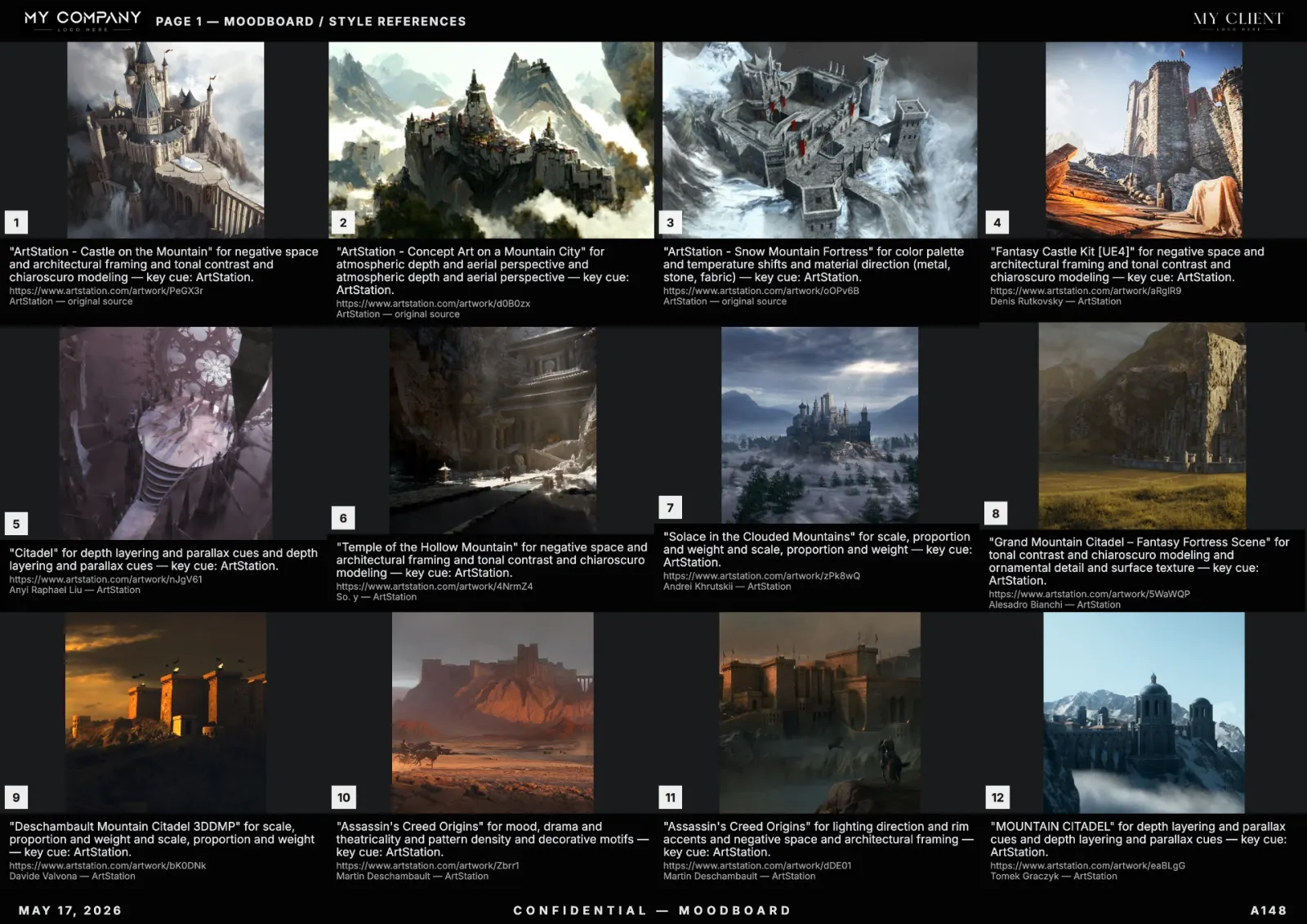
A good moodboard template removes 80% of the layout decisions so you can focus on the references. These twelve templates are pulled from studios that ship client-ready boards every week. Each is described as a grid spec — apply it in RefMood, Figma, Canva or any tool that supports custom layouts.
1. Classic 4×3 hero grid
Twelve equal tiles, A3 landscape, palette band at the bottom. The default for brand, advertising and fashion. Use when the brief is broad and you want references to read as equals.
2. Hero + 8 grid
One large tile (top-left, 2×2) plus eight small tiles (right and bottom). Use when one reference is the anchor and the others orbit it. Common for film lookbooks where one camera test sets the look.
3. Three-direction A/B/C
Three columns, each with 6 tiles, each labeled with a direction name. Use for pitches when you want the client to choose between three takes.
4. Material zoom + scene
Top row: 4 tight crops of textures (fabric, surface, light). Bottom row: 4 wide scenes showing how the materials live in context. Used by interior designers, packaging studios and product brands.
5. Character sheet
One large central character reference, surrounded by 6 tiles for face, hands, hair, costume, accessories, pose. Used by game studios, costume designers and illustrators.
6. World board
9-tile grid showing one biome from 9 angles: wide, mid, detail, time-of-day variations. Used by game studios and animation studios for environment art briefs.
7. Brand identity board
4 reference photos + 4 logo references + palette band + typography swatch + 2 packaging examples. Used by brand designers in rebrand pitches.
8. Editorial fashion lookbook
2-page spread per look. Left page: full-figure shot. Right page: detail crops + palette + styling notes. Used by fashion houses for seasonal collections.
9. Storyboard-adjacent (frame-by-frame)
Horizontal strip of 6 to 9 tiles in sequence, with a narrative caption under each. Used when the moodboard borders on a sequence — common for ads and short films.
10. Brutalist single column
One image per row, full-width, large captions. Used by editorial designers and architects who want each reference to land like a statement.
11. Bento grid (mixed sizes)
Mixed-size tiles in a bento layout: one 2×2, two 2×1, four 1×1. Used when references have hierarchy — hero, secondary, supporting.
12. Print-first poster
Single A2 portrait with a tight 3×4 grid and a 60mm color band. Designed to be printed and pinned in a studio. Used by art directors who still believe in physical boards (rightly).
How to create your own moodboard template
- Pick a format: A3 landscape (digital), A2 portrait (print), 16:9 (slide decks).
- Decide hierarchy: equal grid (4×3), hero plus grid (1+8), or A/B/C columns.
- Reserve 15% of the canvas for a palette band and 5% for studio header/footer.
- Save as a template in your tool. RefMood's template system stores per-client headers and palette bands so you can apply them in one click.
Apply the template to a real brief
Open RefMood, type a brief ("editorial cover for jazz festival, brutalist typography, oxidised brass, deep blue"), pick template #2 (hero plus 8), generate. You have a client-ready board in under a minute. Swap tiles, lock the palette, export PDF — done.
Are these templates really free?
Yes. These are layout specifications, not files behind a paywall. Apply them in any tool. RefMood includes all twelve as built-in templates on the free plan.