Moodboard Alternatives to Canva and Pinterest: What Professionals Use in 2026
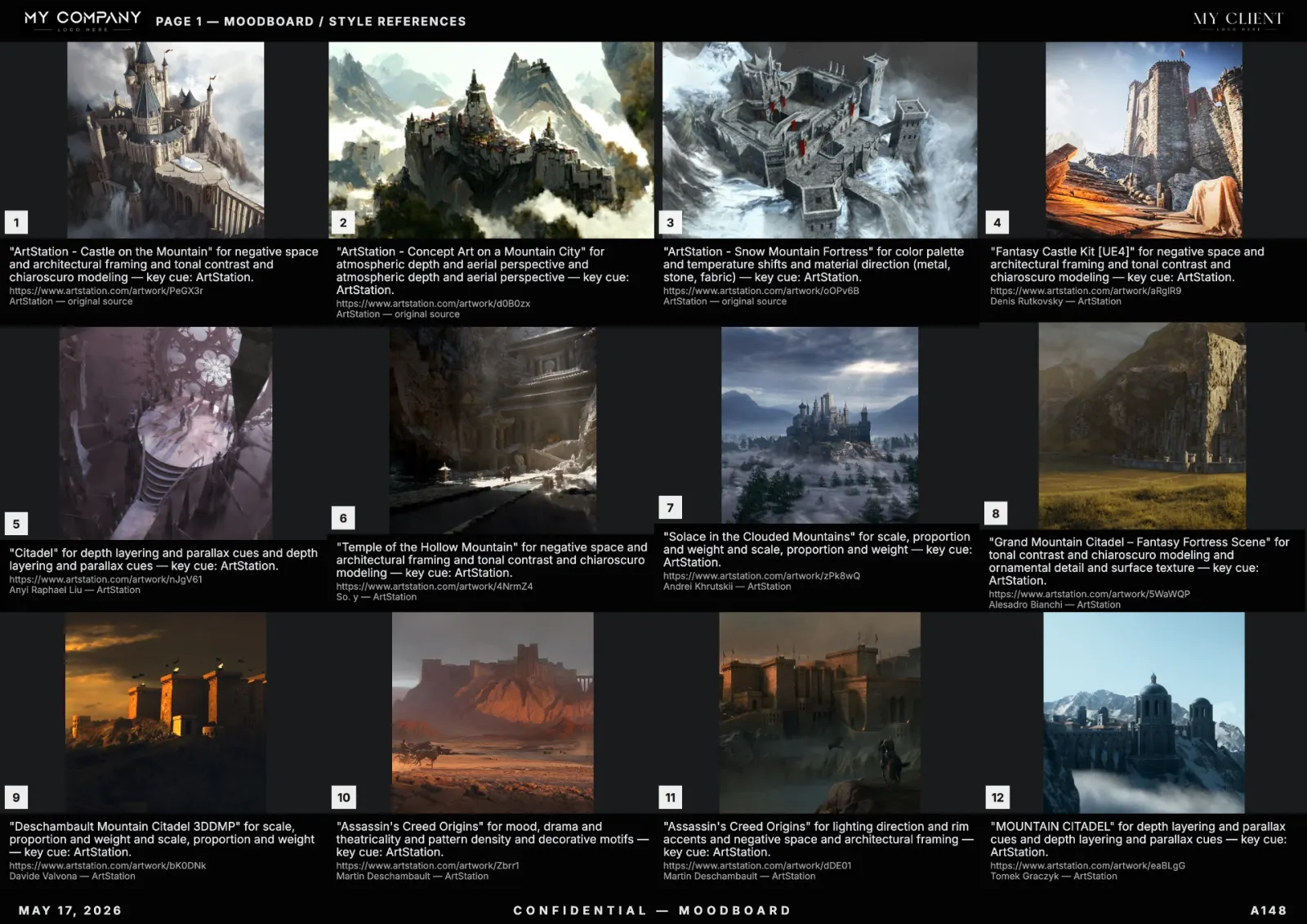
Two truths working creatives accept by year three: Canva is a slideshow tool, not a moodboard tool, and Pinterest is a discovery feed, not a deliverable. Both have their place, but neither holds up under client review. Here are the alternatives that actually work in 2026.
Why Canva moodboards break in client work
- No source attribution per tile — legal cannot clear the board.
- No palette extraction — palette is whatever you eyedrop manually.
- No re-ranking on a regenerate — every change is a manual rebuild.
- Template-shaped layouts — every board looks like every other board.
Why Pinterest is not a moodboard
- References disappear — pins get deleted, boards rot.
- No captions — no explanation of why a pin is on the board.
- No layout control — Pinterest decides what you see.
- No export — you cannot send a Pinterest board to a client as a deck.
What a professional alternative needs to do
- Search across licensed visual sources with attribution per tile.
- Extract and lock a color palette.
- Generate an editable grid you can rearrange.
- Apply a studio template (client name, header, footer).
- Export to vector PDF, PNG sheet, and Figma frames.
- Re-rank against the same prompt and palette on demand.
The professional alternatives in 2026
- RefMood — built around exactly the six-point checklist above. AI search, palette lock, editable canvas, template system, vector PDF. Best fit for art directors, brand designers, game studios and filmmakers. Try it free.
- Milanote — manual canvas with stronger structure than Canva. No AI generation. Good if you prefer slow, manual curation.
- Niice — collaborative boards, strong feedback features. Discovery is manual.
- Are.na — research-first, public-by-default. Best for inspiration archives, not client work.
- Eagle / PureRef — local desktop reference managers. Power-user setups, no AI.
- Figma — fine for moodboards if you already live in Figma. No source search, no palette lock.
Migration path: Canva or Pinterest user moving to RefMood
- Pick one current Canva moodboard or Pinterest board you wish were better.
- Open RefMood, paste the brief, pick your palette.
- Generate — you will get a 12 to 24 tile board in under a minute.
- Add 2 to 3 of your existing favorite Pinterest pins as uploads.
- Apply your studio template, export PDF.
Total time: under 5 minutes. Compare with the original Canva or Pinterest board — the difference in coherence is immediate.
When Canva and Pinterest still win
Canva remains the right tool for finished slide decks — once the moodboard direction is locked, you can drop the exported moodboard PDF into a Canva deck for the pitch. Pinterest remains the right tool for open-ended discovery — scrolling for hours when you do not yet know what you are looking for. Neither replaces a real moodboard tool for the curated, client-ready board itself.
Pricing comparison
Canva Pro: $13/mo. Pinterest: free. Milanote: $13/mo. RefMood: free tier + paid plans starting under $10/mo. The price gap is irrelevant compared to the time saved per board (2 to 4 hours of manual Pinterest work compressed into 5 minutes).