Moodboards in Midjourney: Complete 2026 Guide to Style Reference and --sref
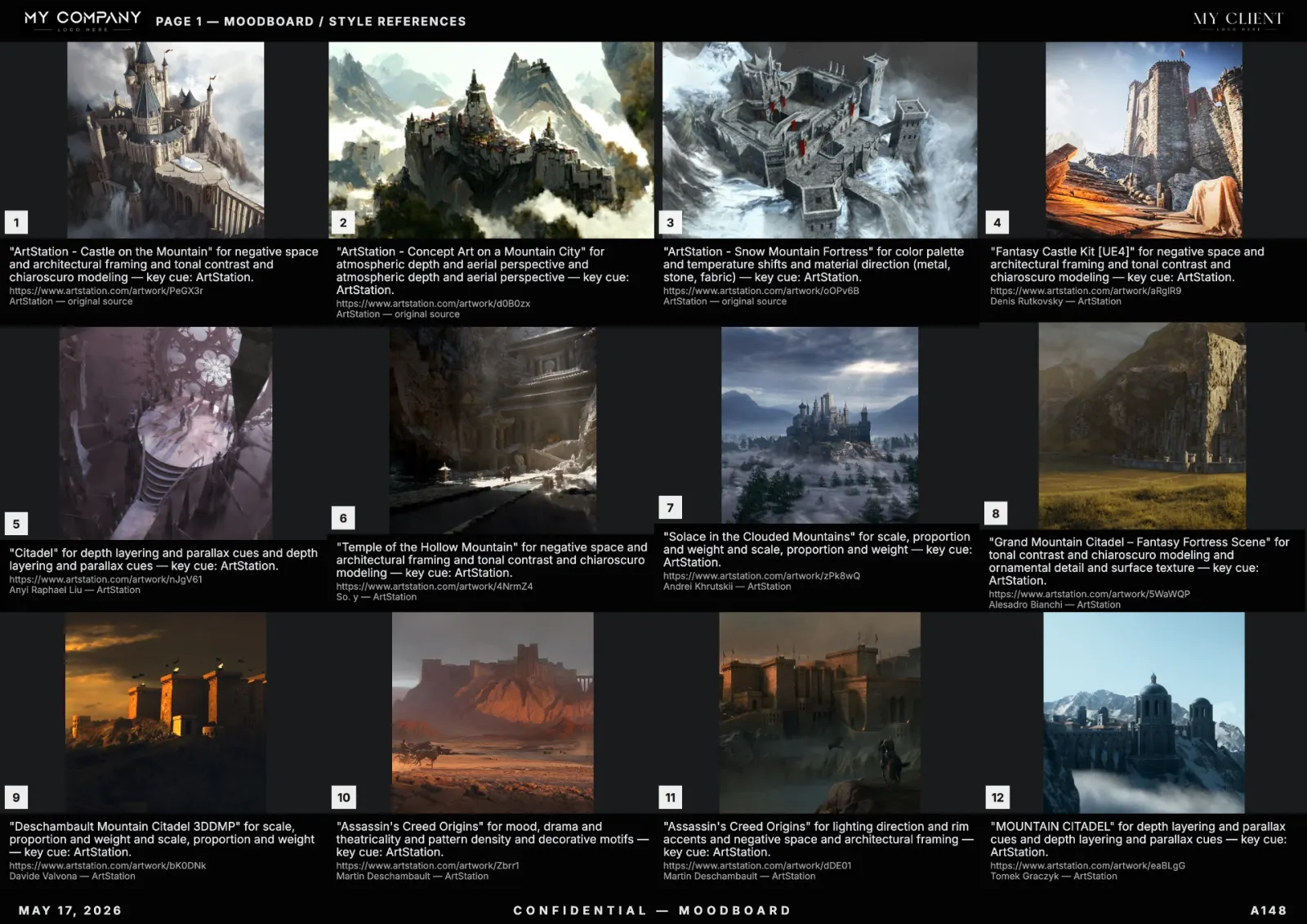
Midjourney's moodboards (introduced via the --moodboard parameter and the closely related --sref style reference) let you lock a consistent visual identity across hundreds of generations from a single curated set of reference images. This guide explains the setup, the prompt syntax, and how to build a reference board that actually works.
What a Midjourney moodboard is
A Midjourney moodboard is a saved collection of 5 to 30 reference images that Midjourney uses as a style anchor. When you append the moodboard code to a prompt, the model biases every generation toward the palette, composition and texture logic of that board. It is the cleanest way to maintain visual continuity across a campaign or game project.
--moodboard vs --sref: which to use
- --sref — single reference image or short URL list. Best for replicating one specific look (one painting, one photograph).
- --moodboard — saved board of multiple references. Best for replicating a direction (a brand world, a film grade, a game biome).
For client work, --moodboard wins. A single image is a vibe; a board is a contract.
Step-by-step setup
- Go to
midjourney.com/personalize. - Create a new moodboard, give it a clear name (
brand-spring-2026, notmoodboard 7). - Upload or drag 10 to 20 reference images. Curate hard — every image you add is a vote.
- Copy the moodboard code (an 8-character ID).
- Append
--moodboard CODE --mw 200to any prompt.--mwis moodboard weight (0–1000, default 100).
Are Midjourney moodboards private?
Yes, by default, moodboards you create are private to your account. But the moodboard code can be shared — anyone with the code can apply your moodboard to their own prompts. Treat the code like a password.
How to build a reference board that actually steers Midjourney
Most users fail because they upload too many images, or images that contradict each other. The rules:
- 10 to 20 images. Fewer is too thin, more is noise.
- One coherent direction. If two images would not sit next to each other on a real moodboard, do not put them both in.
- One palette. Drop high-saturation outliers — they will hijack every generation.
- Same medium. Mixing photography and 3D renders dilutes the style.
Where to find the references in the first place
This is the trap: Midjourney does not help you find references. You build the board in Pinterest or — much faster in 2026 — generate a curated, palette-locked reference board with an AI moodboard creator like RefMood, then export the tiles and upload them to Midjourney as the moodboard source. RefMood + Midjourney is the cleanest 2026 workflow.
Stylize and weight: the two dials that matter
- --mw 50 — soft influence; Midjourney follows your prompt more than the moodboard.
- --mw 200 — strong influence; the moodboard dominates the result.
- --mw 500+ — extreme; use only when you want near-photocopies of the board.
- --stylize 250 — pairs well with moodboards for balanced creative interpretation.
A full working prompt
cyberpunk street vendor at night, steam rising from food cart,
shot on Cinestill 800T, neon reflections in puddles
--moodboard ABC12345 --mw 200 --stylize 250 --ar 3:2
Common pitfalls
- Moodboard ignored — usually
--mwis too low or prompt overpowers it. Raise to 200. - Style copied too literally — lower
--mwto 100 or 50. - Palette inconsistent — your board has an outlier. Remove the loudest tile.
- Subjects copied — your board contains too many similar subjects. Diversify content, keep style consistent.