How to Build a Reference Montage (the Right Way) in 2026
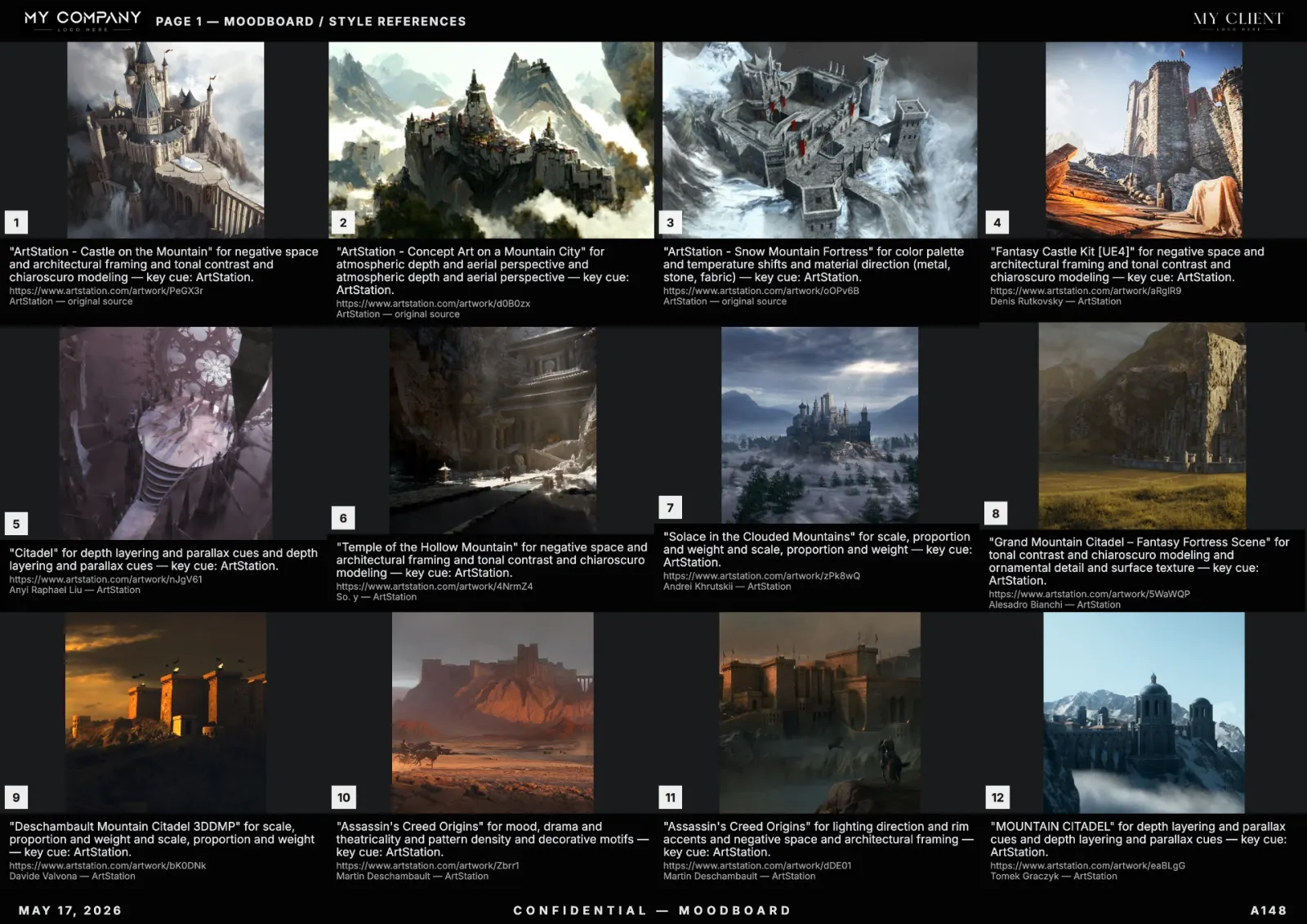
"Reference montage" is what the rest of the industry calls a moodboard when they want to sound technical. The skill is the same: take a brief, find the right visual references, lay them out so the next person who looks at the page understands the direction in 60 seconds. Here is the full 2026 method.
What a reference montage actually proves
A reference montage is the document that proves the brief is buildable. If the references exist in the real world (paintings, photographs, films, concept art), the direction is achievable. If the references are all AI-generated illustrations, the direction is a fantasy. Most studio reviews die on this exact distinction.
The four kinds of references every montage needs
- Tone references — set the emotional baseline. Often master paintings or cinema stills.
- Subject references — show the literal thing being depicted (a car, a face, a building).
- Material references — show surfaces, textures, finishes.
- Light references — show the lighting setup, contrast ratio, color temperature.
A montage missing any of the four leaves a hole that becomes a revision later.
Ratio rule: 50/30/20
For a 20-tile montage: roughly 50% tone, 30% subject + material, 20% light. Move the ratios for project type — game environments are heavier on light references, brand campaigns heavier on tone.
Layout: grid beats freeform almost always
Freeform layouts look impressive in portfolio screenshots. In production they slow comprehension. A clean grid with consistent tile size lets the reviewer scan in seconds. Reserve freeform for the cover page only.
Palette as the spine
Lock 4 to 6 colors and place a palette band on every page. If a tile fights the palette, replace it. The full palette logic is in our pillar guide.
Captions: the reason, not the source
"Painting by Hopper, 1942" is a credit, not a caption. The caption explains why this tile is on the page: "single source key light, deep shadow falloff, isolation of subject". Credits and captions are two different fields; both should be present.
Where AI accelerates the montage
An AI reference montage tool does the boring parts: parallel search across libraries, palette extraction, layout composition, caption seeding. The art director keeps the judgment calls: curation, exclusions, template, narrative order.
Export formats for a reference montage
- Vector PDF A3 landscape — the universal client format.
- Figma frames — for the design team to continue work.
- PNG sheet at 2400px wide — for chat previews on Slack and WhatsApp.
Full export decision matrix in our export guide.
Common mistakes
- All tone, no material — the team has a feeling but no surfaces to render.
- All subject, no tone — the team has things but no atmosphere.
- All AI illustrations — the brief is unbuildable.
- No light references — the DP and 3D leads guess at the lighting later.
FAQ
What's the difference between a reference montage and a moodboard?
None, functionally. "Reference montage" is the term used in film and game pipelines; "moodboard" is the term in advertising and brand. Same artefact, same rules.
How many references should a montage have?
12 to 24 hero tiles. More than 30 dilutes the direction.
Should references be real or can they be AI-generated?
Real, almost always. AI-generated illustrations work for inspiration but break the "is it buildable" test.
What's the best tool for reference montages?
A tool with multi-source search, palette lock and per-tile metadata. RefMood was built around that pipeline.